
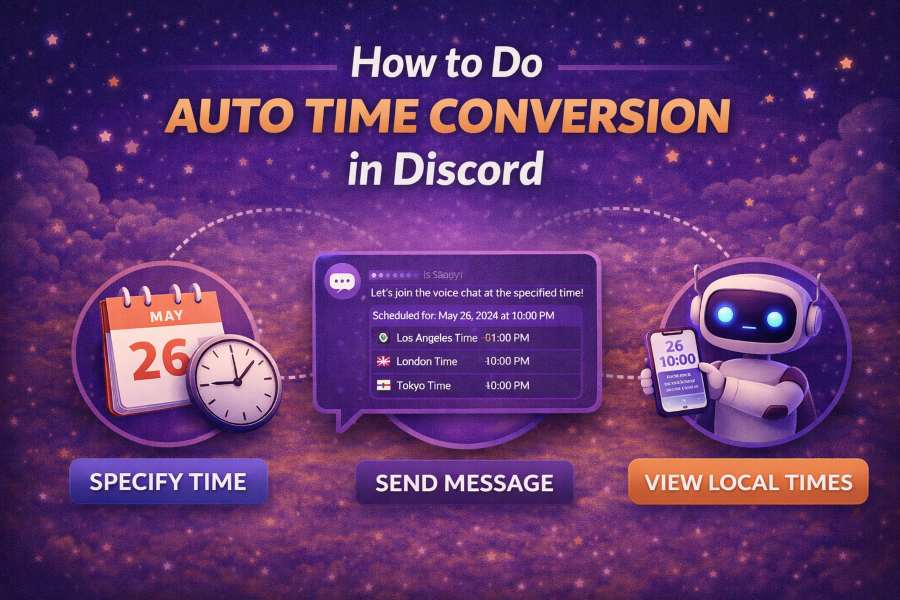
Discord is a powerful communication tool, especially for gaming, education, and remote work communities. With users from different time zones across the world, scheduling events or managing time-sensitive conversations can quickly become a challenge. One common issue is ensuring everyone sees the correct time in their local time zone.
Luckily, Discord offers an easy way to handle time zone conversions automatically using timestamps. In this guide, we’ll explain how to use Discord’s time conversion feature to make your event scheduling easier and more efficient.
Understanding Timezone Conversion in Discord
When you are managing events on Discord, especially across different time zones, one of the first challenges is making sure everyone sees the correct time. Discord offers a feature that allows you to post a timestamp, and Discord will automatically convert the time to each user’s local time zone. This makes it easier to schedule events without worrying about whether users in different parts of the world are seeing the time correctly.
Using the proper formatting for timestamps ensures that your audience sees the right time in their time zone. Discord uses Unix timestamps, a standard method for recording time. This means the time you input is converted to the right local time for each user.
For example, if you want to schedule an event at 3 PM UTC and share it with others, the users will see 3 PM in their local time zones. This allows everyone to be on the same page without having to manually convert times. Whether you’re scheduling gaming events or discussing global business, Discord’s automatic time zone conversion can save you time and reduce confusion.
To make the most of this feature, you can use the minutes to hours online converter to help convert your time into a more familiar format before posting the timestamp.
Setting Up Automatic Time Zone Conversion in Discord
To ensure that your timestamps are correctly converted in Discord, you first need to format the timestamp properly. You can create a timestamp using the Markdown feature available in Discord. This feature allows you to mark specific times, making it easy for Discord to adjust and display them in your local time zone.
Discord timestamps are usually written in the format <t:timestamp>. Once you generate this, Discord will automatically adjust it to the local time for each user viewing the message.
Why Use Automatic Time Zone Conversion?
Automatic time zone conversion can significantly simplify event management and communication in Discord. Without this feature, your community members would need to calculate the correct event times manually based on their locations, leading to confusion and missed events.
By using timestamps, you’re essentially removing the need for these manual calculations, ensuring that all users see the time correctly, no matter where they are located. This is especially useful for large communities or international teams who need to coordinate at specific times.
In addition, this feature makes it easier for you to manage global teams, whether in gaming, business, or any other field. It allows your audience to participate without worrying about time differences. You can now focus on the content of your discussions, rather than worrying about time zones.
The Process of Creating Discord Timestamps
Creating a Discord timestamp for automatic time conversion is easy once you understand the process. First, determine the exact time of your event, then use a Discord timestamp generator to create the correct code.
There are online tools that allow you to select a date and time, and the generator will automatically give you the correct timestamp format. You can copy this format and paste it into your Discord message.
Once you have pasted the timestamp in your message, Discord will automatically convert the time to match the local time zone of the person viewing the message. This ensures that no matter where they are, they will see the correct time for the event.
Benefits of Using Timestamps for Event Scheduling
The main benefit of using timestamps is the simplicity it adds to scheduling events. Rather than spending time explaining what time an event is in every user’s local time zone, you can rely on Discord to handle this for you.
Some benefits include:
- Time Zone Accuracy: Automatic conversion ensures that all members see the correct time based on their location.
- Simplicity: You no longer need to worry about calculating time differences or sending multiple messages with different time conversions.
- Global Communication: Your global community can now easily coordinate and join events without confusion.
Additionally, this process makes managing time-sensitive projects much easier, whether it’s scheduling a gaming session or a global business call.
Troubleshooting Discord Time Zone Conversion Issues
While automatic time zone conversion is usually reliable, there are a few things to keep in mind to ensure it’s working correctly. One issue users might encounter is that the timestamp isn’t converting as expected. This can happen if the timestamp is formatted incorrectly or if Discord fails to detect the correct time zone settings for a user.
In such cases, double-check the format of your timestamp and ensure you are using the correct code. Additionally, encourage your users to check their own Discord time zone settings. Sometimes, the app might not display the correct local time if a user has incorrect settings in their profile.
How to Schedule Events Using Discord Time Conversion
Scheduling events with Discord’s time zone conversion is easy and straightforward. The first step is to determine the exact time for your event and then use a timestamp generator to create the necessary code.
Once you have the timestamp, paste it into your message, and your users will see the event time automatically adjusted to their local time. This is a great way to streamline event planning and ensure everyone gets the correct time, no matter where they are in the world.
By automating the time zone conversion, you eliminate potential confusion and streamline the event-planning process. This feature works for both small groups and large communities, making it an essential tool for anyone using Discord for event management.
Tools and Resources to Enhance Time Zone Management
To make the most out of Discord’s time zone conversion feature, you can use various tools to generate timestamps and improve your scheduling efficiency. For instance, if you’re struggling with time zone management, tools like minutes to hours online converter can help you quickly convert time, allowing you to schedule events across different time zones without making errors.
There are also other tools that focus on enhancing the time management experience. For example, habit tracker atomic habits can help you stay on top of your schedule and track your habits, ensuring you’re on time for every event.
These tools, combined with Discord’s automatic time conversion, make it easier than ever to coordinate events with people across multiple time zones. They provide a seamless experience and help you stay organized and efficient.
Conclusion
Automatic time zone conversion in Discord is a game-changer for event management and communication, especially for international communities. By using timestamps, you can eliminate confusion and ensure everyone sees the correct time, no matter where they are located. With the right tools and a solid understanding of how timestamps work, you can streamline event scheduling and make global communication effortless.
Utilizing tools like minutes to hours online converter and understanding time zone management will further enhance your experience. Discord’s automatic conversion feature is a must-have for anyone who regularly coordinates events across time zones.